
· 9 min read
Building Blocks of AI Coding
AI coding is all the rage; what are the basic building blocks? How should we think about its future? This is the first installment of a series of 5 posts.
In the previous post, I announced Parley the app, which is constructed 100% with agentic coding. I didn’t even know the Neovim programming environment, or lua the programming language of that environment. I still don’t know them well today, but have acquired some intuition of their capabilities and mechanisms. Here I would like to talk about the stack I created to do this along the way.#
I’m thinking of organizing this into a series of posts, roughly:#
- the 5-month journey of building the workflow that created
Parley. (this post) - reflection on how to leverage AI in software product development.
couchandpair, the coding environment I use daily. (TKTK)ariadne, the skills and binaries that supported my workflow. (TKTK)- and lastly, where to go from here. (TKTK)
In this first post, I’d like to take a historical view on how this “AI-native” development stack was built conservatively from the ground up (reverse of Gas Town), and came into its current shape. The key philosophy I follow in its design:#
- Keep all state in a single repository, in text format. This allows AI to access not only code, but design documents, issue history, past roadmaps etc., everything, using the standard set of Unix tools.
- Construct a “hard deterministic shell” to constrain an LLM’s “soft stochastic core”. Ground often.
- Human attention is scarce and single-threaded and it is diametrically opposed to what machines are good at. This AI-native stack tries to find that evolving contour of where, when, and how to leverage humans’ limited attention span.
We will talk more about this in the next post.#
Now, quick history recap. I took the anti-Gas Town approach and started very conservatively. I needed to know how building blocks work, and how well they work, before moving to construct more things on top of those building blocks. What’s extremely rewarding is that with AI, you can generally understand and change software in ways you didn’t think possible before. Over the last 5 months, this overall journey produced about 1M lines of code, 1M lines of supporting documentation (issues, plans, reviews etc.).#
At the start, I was basically using the plain old coding agent.
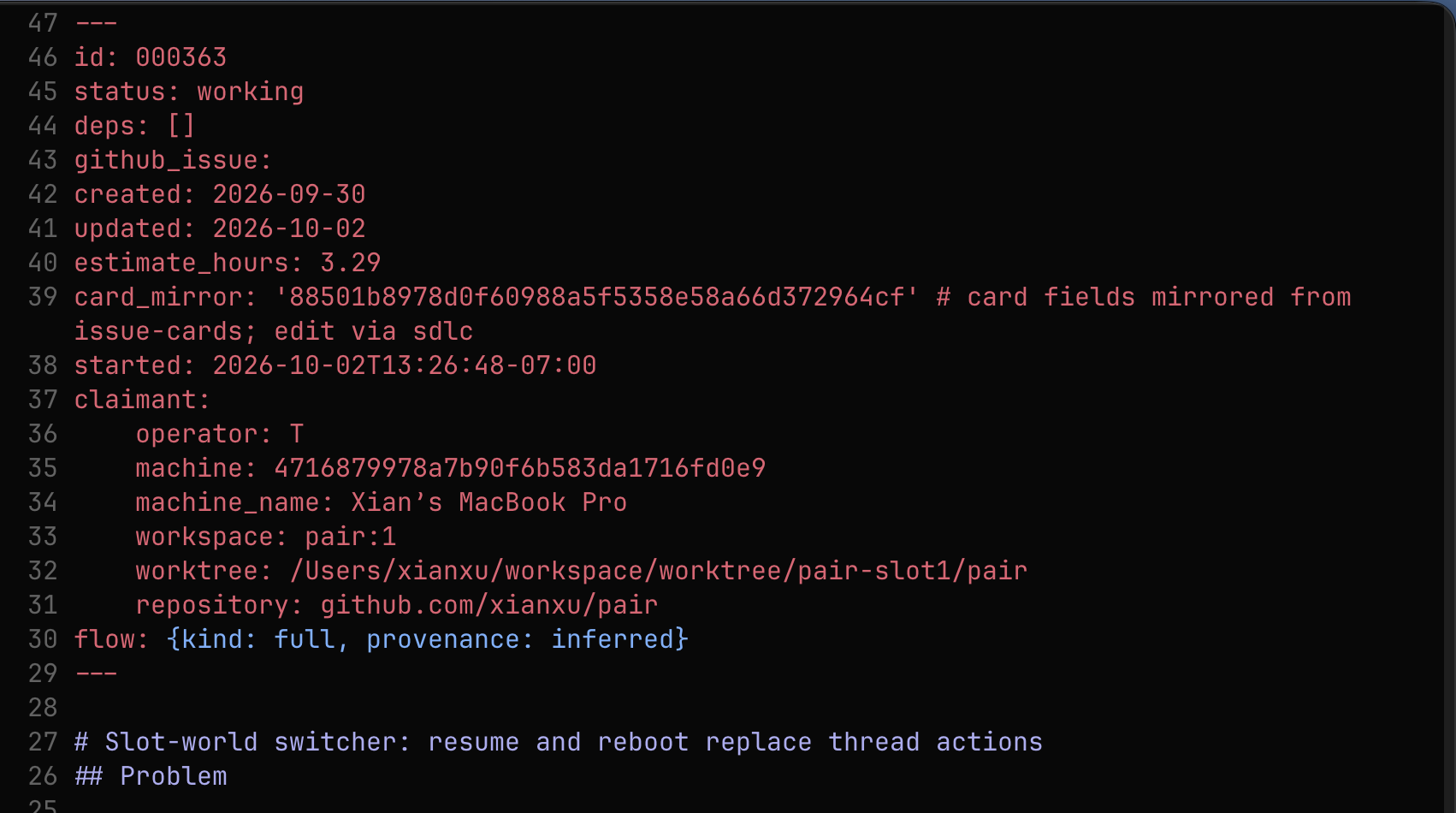
Claude Code,Codexare the main players, but there are plenty of other companies also trying (I usedagy,muse,qoder). You type a prompt, and hope for the best, frequently back and forth in a really crappy editor. Those were the early days of my vibe coding, but AI showed great potential. I didn’t use too many agent skills exceptsuperpowers. The reason being, if I don’t know how those skills work, and how well they work, I can’t trust them. Thus it seemed logical to limit how many of those I’d use. You can check my early notes here and here.#One of the early choices I made was that all state should be in a single repository, the issues, the plans, the projects, the roadmaps. All those should be text files in a repository so that changing them is more like “coding” tasks. This stayed true in the whole journey, with the later addition of using git to maintain multiple lineages of history, so that certain workflows can run smoother.#
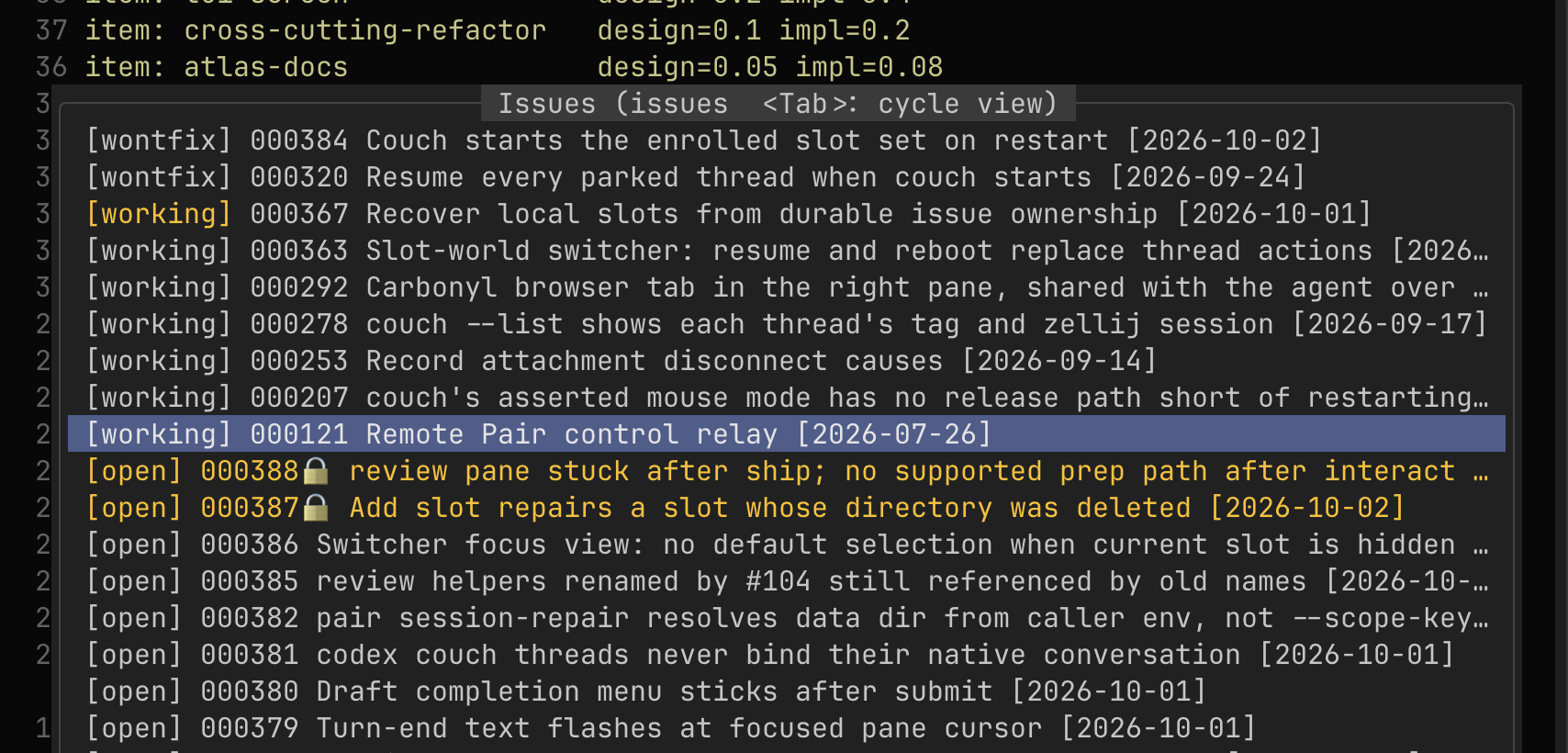
And then, to manage those local text files, I used AI to make tools for me, e.g. a neovim plugin to list all open issue files, to open one of them nicely formatted, and to jump to interlinked issue IDs, among other things. While I still use those today, I find I tend to just ask the agent about the state of things, and to do things for me. But this is consistent with my philosophy that the human operator must always have a firm grasp of the state of the system they are working on. The details that matter are what type of state is understandable by a human with limited brain power ;) (no pun intended), how and when to surface those details, and how to design an overall process in which human and machine work in harmony and address the fundamental impedance mismatches of human speed vs machine speed.#
Soon, I realized it’s painful to use
claudeorcodexreally, the tiny input box, without mouse support, or any other editor goodies. I wanted something closer to a text editor, than a command line prompt. This led me to create pair, which is a TTY terminal wrapper around any TUI program, but coding agents in particular, and gives you an input pane backed by nvim. With that, you get mouse support, all nvim goodies, spell checking, auto completion of not only what you had typed, but also what the agent highlighted in their response. You get full nvim style search of the transcript and many other things. Think ofpairas a coding agent wrapper that gives you much more control over how you organize your thought. Another fundamental benefit is to allow you to use any coding agent without changing the user interface you are familiar with. This, along with the next point, forms my agent agnostic development flow. While at the beginning being agent agnostic was just an idea, frequentclaudeoutages surely motivated me to actually commit to it.#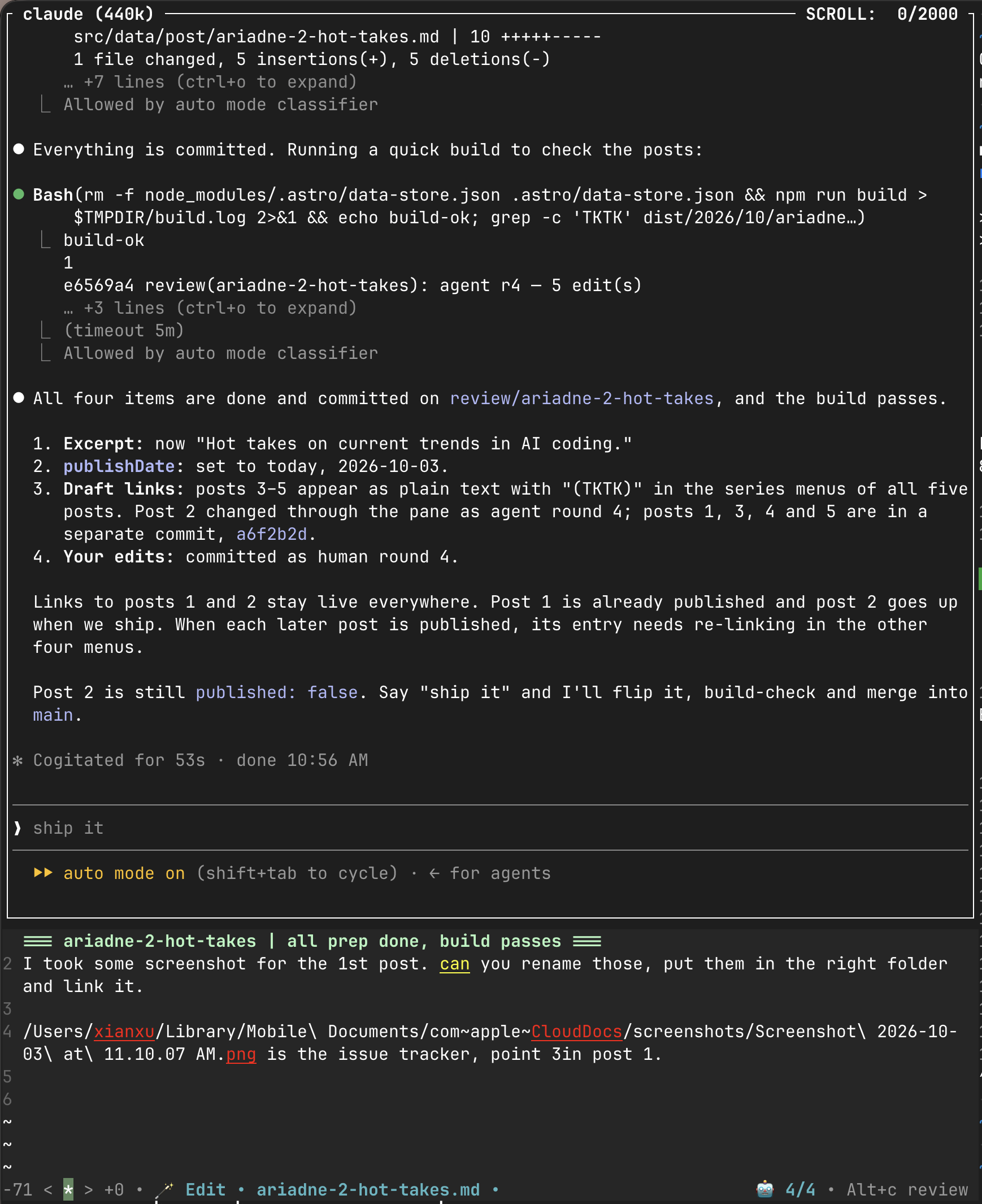
With the process documents (issues, projects, roadmaps etc. whatever you need to run a company’s product/engineering department) managed in the same repository, the other part is to get the agent to operate the processes embedded in those documents. This means a bunch of agent skills at the beginning. I have evolved this system quite a lot, with the goal of creating a more deterministic “hard shell”, around the LLM’s intelligent but “soft core”. This resulted in a pattern I called “skill binaries”, which operates around two intuitions: 1/ to move as many operations as possible to deterministic code; 2/ that deterministic code can also administer the skill prose. The result’s refreshing: the
sdlcprocess (software development life cycle) is just a Golang binary, withsdlc --helpbeing what the agent needs to read and understand. This basically converts an agent skill into just another local tool, just anothergrep,rgetc. Other extensions involve the ability to dynamically customize skill content based on repository state, for example, I used it to construct a meta skill to instruct the agent on how to use the ever-growingdatatypedefined in differentariadnebase layers (see point 6).#I called my AI-native workflow ariadne, which is a provider of
base layers.ariadne, the base layer, provides basic process around software development. There are other base layers, for example, I have anousbase layer that is layered on top ofariadneas a personal gateway to private information, imagine a repository full of your gmail downloaded, but with credentials guarded by the “hard shell”;metiswhich provides essentially what typical ML infra is about, organizing data, algorithms, experiments, to provide a reproducible workflow. Base layers likeariadne,metis,nousare meant to be used as follows: you start with your repository, and if you want to leverage AI’s capability in a base layer, you invokeweave link ../ariadne, orweave link ../metisin the repository root, thenweave compilefrom there. That’s all you need. What do those two commands provide you? Two things: 1/ agent skills to manage some processes; 2/ a binary “hard shell” that makes those processes work. I createdmetisandnousnot quite for fun, but as validation of this construct of base layers, in very different domains. For example, I got a Kaggle silver medal withmetisin some oil drilling competition that I didn’t have any experience in.#After I created
pair, the TTY wrapper, I used to use iTerm2, then Ghostty, and later cmux. None of them were satisfactory, because those environments don’t provide support of working on many threads at the same time. I often got lost about where I was in the many threads going on. That’s why I createdcouch, a single program that supervises manypairprograms. One way to think ofcouchis just the many tabs and panes in your favorite terminal emulators.couchdoes that, and provides many shortcuts you need in an agentic environment, that get your human attention at the right place at the right time, such as managing the different worktrees for you, showing status of those worktrees.couchalso provides a protocol through which different coding agents can talk to each other, so that you can work withclaudein a slot triaging issues in a repository, and then just say “schedule it”, andcouchwill find a free slot (worktree), talk with the agent there, so that the free agent starts handling the task. After the agent’s done, it will send a smoke-test notification if needed, so the operator can go take a look to accept or not. I think part of this is going Gas Town, but I’m building this conservatively, one step at a time, letting autonomy in only when I feel comfortable that the foundation’s solid. The terminal multiplexer part ofcouchis pretty usable now; the autonomous agent coordinator aspect is still being tested out.#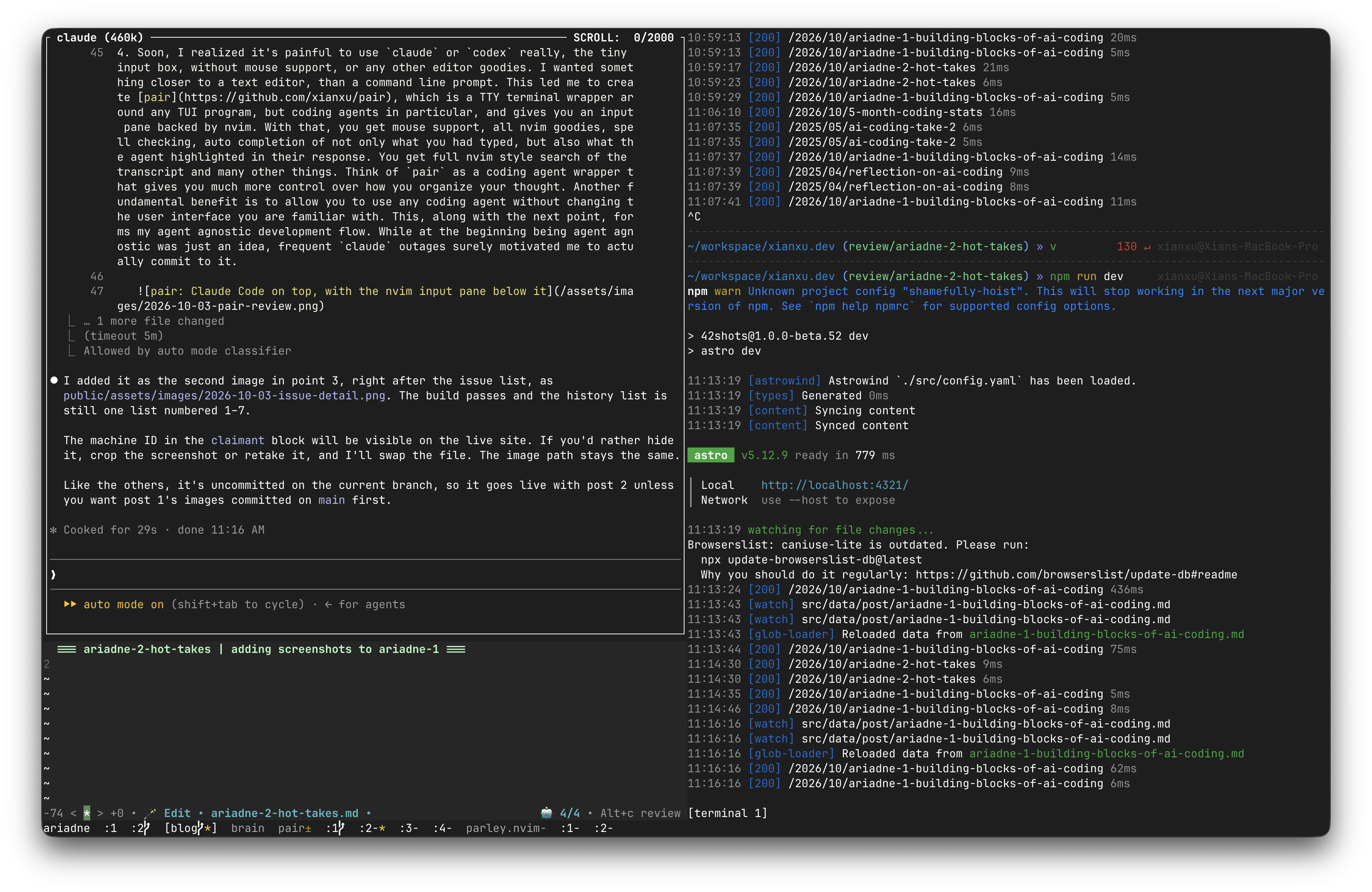
And it’s on this stack that I find myself increasingly comfortable and confident to take on ever more complex software projects. That’s all for the long history rehash. In the next post, I’ll air some hot takes on what AI is good for, and how we can best leverage it.#